
Your inbox swells, invoices slip a few days, and the month-end match-up drags on longer than it should. None of this is strategic work, yet it steals hours. This article skips the big-picture case and goes straight to the fix. We will outline three background helpers that tidy email, nudge late payers within the rules, and reduce reconciliation hassle. These are great places to start with implementing AI into your business. If you want the broader “why now” and a primer on agents and tools, read last month’s overview first, then come back here to build your admin set.
We’ll start where every admin headache begins, the email inbox. Get the inflow under control and everything downstream—chasing invoices, reconciling payments—gets lighter.
Enter the Inbox Triage AI Agent.
Inbox Triage AI Agent
This AI agent monitors incoming email and performs the initial review for you. It labels routine messages, routes them to the right folder or person, and surfaces anything that looks urgent so you can act quickly. Yes, you can build static filters in your mail client, but an agent can spot patterns across sender, subject and FAQs, and it improves as you refine rules over time. Because it runs from your mailbox, the outcomes feel like your own work, not a bot getting in the way, and you keep a visible trail of what was labelled, when, and why.
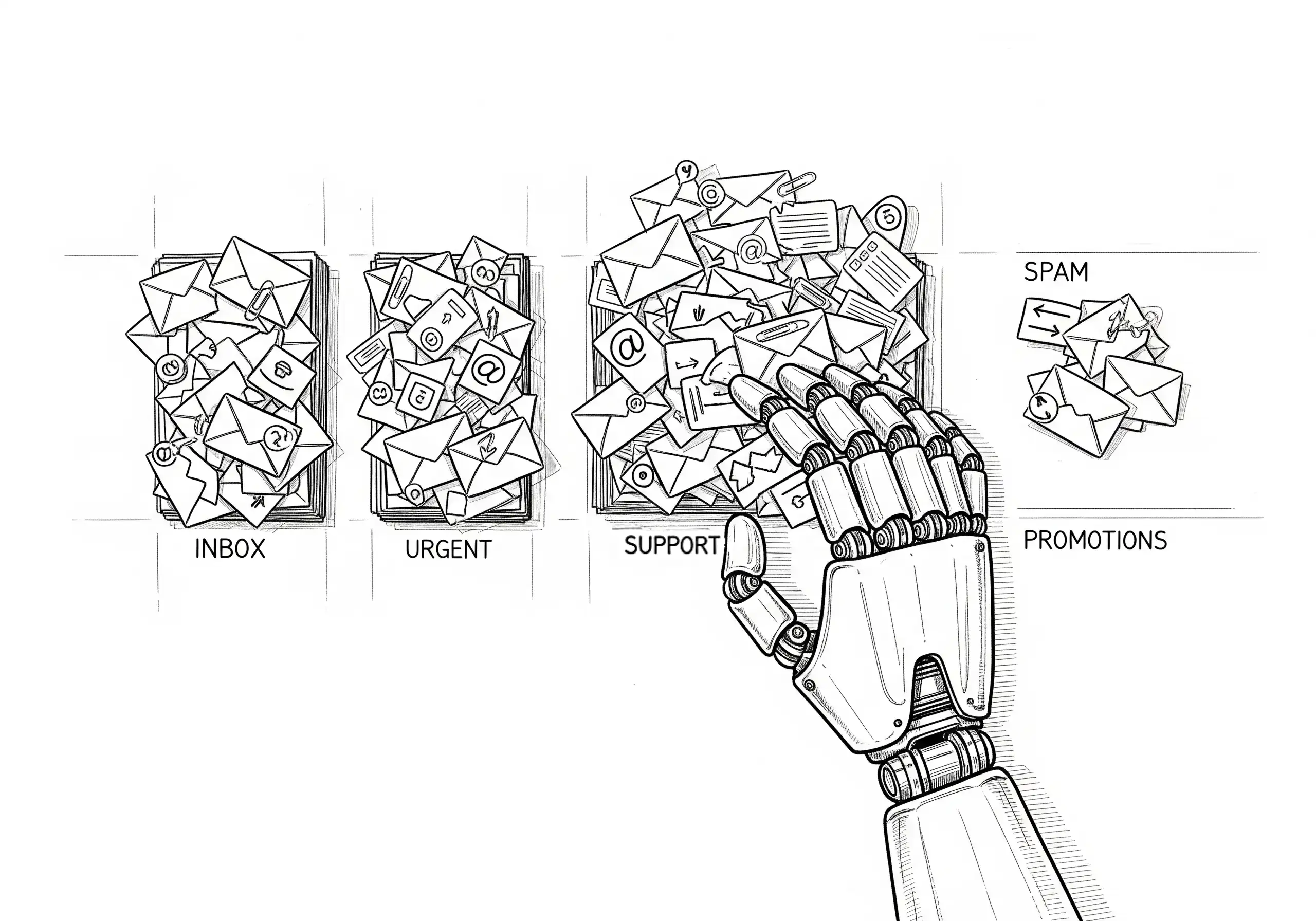
Begin with “label-only” mode so that nothing is moved or replied to without your approval. Have the agent save suggested replies as drafts in your Drafts folder for a quick review and editing, then enable routing for obvious cases once you’re satisfied with the hit rate. Keep broadcast rules conservative and leave ambiguous messages for human review. The practical upside is a shorter path to action and fewer missed emails when things get busy.
The key metric to watch is the time it takes to reply, backed by a weekly misroute count, so you can continually tune your rules. Add a simple habit to check yesterday’s labels each morning and fix any slips. If you later enable auto-replies for simple FAQs, keep them strictly transactional and extend them to common support and job-related inquiries, such as order updates, delivery ETAs, booking confirmations, quote acknowledgements, and job-progress updates. Route any nuanced or sensitive matters to a person.
Personalised Invoice Chaser AI Agent
This AI agent monitors due dates and payment history, then drafts and sends personalised reminders through your internal preferred email account. Yes, most accounting software does send out reminders for overdue payments, but using an AI agent to complete this task offers several benefits. Because the message comes from “Jill in Accounts”, it reads like a real follow-up and not a bland template. It also sets up a visible trail of when emails were sent, giving you quick access to them and helping ensure the reminders do not end up in the client’s spam folder.
Begin with an automatically drafted email by the agent, which is saved to your draft folder for review. Using AI to draft a friendly email with the context of the client’s job, the outstanding amount, the days since due, and a payment link.
With ongoing cash-flow pressure showing up in small business dispute data, a consistent, courteous reminder sequence helps shorten the lag without escalating tension ASBFEO, 2025.
Ensure to exclude disputed invoices and clients who pay on time.
The key metric to watch is the average number of days to pay, supported by the response rate to the first reminder. Keep daily send caps, vary the tone based on the relationship history, and the latest payment information.
Bookkeeper AI Agent
This AI agent speeds up reconciliation by matching invoices, receipt images and bank feed entries, then flagging anything that does not line up.
Instead of hunting through emails and screenshots, you get suggested matches ready for review and a short exceptions list where attention is actually needed. While this AI agent will take longer to build and implement, it will save yourself or the CFO from the bookkeeping tasks, or the AI agent will reduce your bookkeeping bills.
Either way this is a big win.
Begin in read-only mode. Let the agent propose matches and draft coding, which will be saved for your review before anything is posted to the ledger. Use supplier names, amounts, dates, and memo text to drive matching and keep small receipts in scope, ensuring card spend is not missed. At the end of each week, clear the exceptions and publish a brief reconciliation summary so the books are tidy and audit-ready. Good record keeping is expected, and having complete, accurate source data makes tax time and audits far less painful ATO, 2025.
The key metrics to watch are total reconciliation time per week and the exception rate. Once exceptions are met, allow the agent to auto-post low-risk matches that meet clear thresholds, while anything high-value or unusual remains for human approval. Keep a change log so you can see what was posted, when, and by whom, and you will have confidence to gradually widen the net.

The real savings for admin work
Small gains accumulate when they occur every day. Taking the first pass on email, nudging late payers from your own account, and preparing tidy matches for reconciliation each save a few minutes at a time. Over a month, that becomes hours you can put into sales or service. You also avoid small mistakes that turn into write-offs or late fees, because follow-ups happen on time and records stay neat. Please keep it simple: pick one area, choose one metric, and review the result each week. That is enough to show the value without changing headcount or tools.
Risks and safeguards for admin automations
Keep control from day one by starting the agent’s shadow mode. Let the inbox agent label without moving, let invoice reminders save to Drafts, and let the bookkeeper prepare matches without posting. Turn on actions only after you are happy with accuracy, and set caps on daily sends and working hours so nothing runs away. Name an owner who checks exceptions every day and keeps a log of what changed.
Wrapping it up
One AI agent, one week, one win.
Start with the task that steals the most time, run it in shadow mode, then review the first ten runs and switch on the safe parts.
Where will an AI agent best fit in your business? If you want a hand, book a quick planning call, and we will draft the run sheet with you.
References
- Australian Bureau of Statistics. Monthly CPI indicator — July 2025. https://www.abs.gov.au/media-centre/media-releases/monthly-cpi-indicator-rises-28-year-july-2025
- Xero. Small Business Insights Australia — Sales softer in June quarter. https://www.xero.com/resources/small-business-insights/latest-australia/
- Xero. How to reduce late payments and get paid faster. https://www.xero.com/au/guides/how-to-reduce-payment-delays/
- Australian Small Business and Family Enterprise Ombudsman. Quarterly Report Q4 2024. https://www.asbfeo.gov.au/sites/default/files/2025-02/ASBFEO%20Q4%202024%20Quarterly%20Report.pdf
- Australian Taxation Office. Record keeping for business — overview. https://www.ato.gov.au/businesses-and-organisations/preparing-lodging-and-paying/record-keeping-for-business/overview-of-record-keeping-rules-for-business


Leave a Reply