
Moving your store from Shopify to WooCommerce is a structural change. It is not just a design refresh. Many owners overlook the technical risks. The result is often a “traffic cliff”. This is a sharp drop in organic visibility. Recovery can take months.
Reports show that traffic loss usually happens because of poor redirect mapping or missing data [Praella, 2024]. We aim to prevent this.
The switch represents a move from rented infrastructure to a system you own. Shopify locks you into rigid URL paths. You cannot change how categories or products display in the browser bar. WooCommerce removes these limits. Recent data suggests this flexibility offers better technical SEO potential in 2025 [SearchFit, 2025]. You gain control
Why Move from Rented to Owned Architecture
Shopify’s fixed URL structure limits technical SEO, while self-hosted platforms offer full control over your hierarchy.
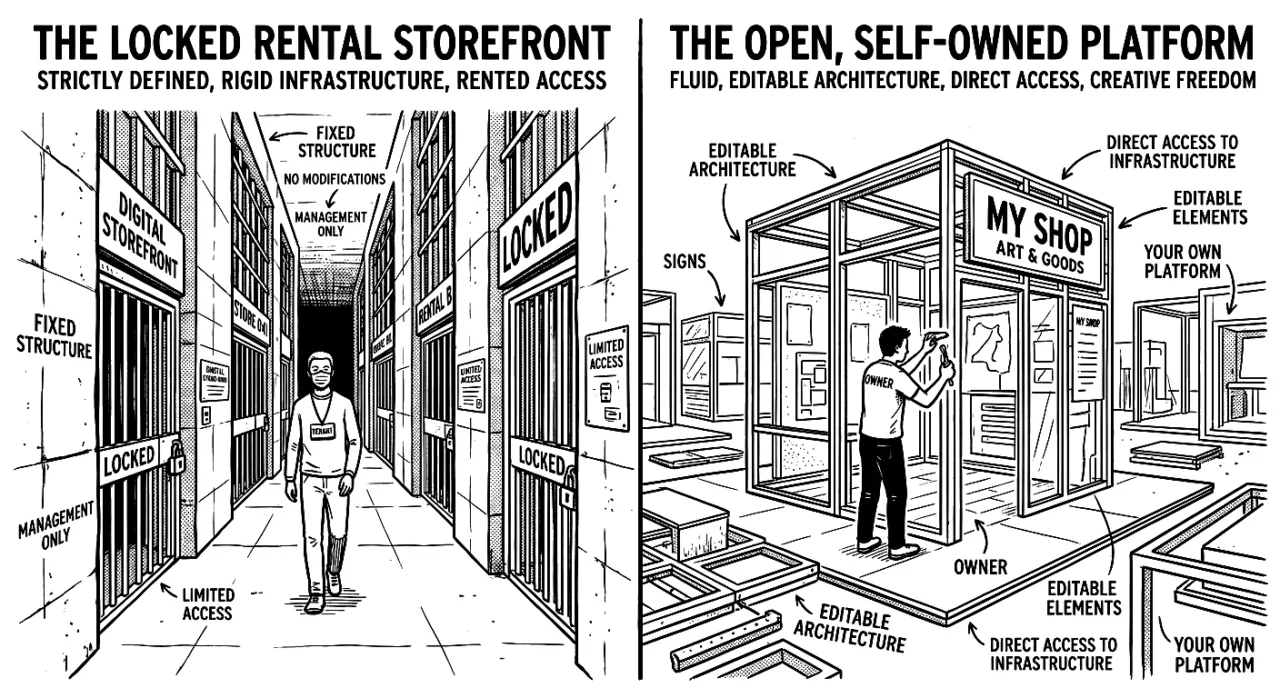
Shopify imposes a rigid URL structure. This acts as a hard ceiling for technical SEO. While the platform simplifies management, it forces every merchant to use a fixed hierarchy. You cannot remove subfolders like /products/, /pages/, or /collections/. This adds unnecessary depth to your site structure. It also dilutes the keyword relevance of your page addresses.
This limitation often triggers a platform switch. On Shopify, a product URL must follow the pattern domain.com/products/product-name. This signals to search engines that the product is three levels deep. It does not matter if it is your flagship item. In competitive
Auditing What Shopify Doesn’t Export
Standard Shopify exports leave behind the specific data points that drive your search rankings. Many store owners click “Export All” and assume their SEO foundation is safe in the resulting CSV file. It is not. The native export function focuses on inventory data (SKUs, prices, and stock levels) rather than the structural data required for SEO continuity.
When you rely on a standard CSV export, you often lose the meta titles, custom descriptions, and image alt text you spent years optimising. You essentially transfer the physical product but leave its digital reputation behind. This happens because Shopify stores SEO data and custom fields (metafields) in separate database tables that do not link automatically to the standard product export.
Community discussions highlight that native exports frequently exclude variant-level metafields and specific SEO tags unless you use an advanced API script [Shopify Community, n.d.]. If Google crawls your new WooCommerce site and finds empty meta descriptions, it will generate its own snippets from the page body. These auto-generated snippets often fail to match the click-through rates of your carefully written copy. The result is often an immediate drop in traffic.
We find the most significant data gaps occur in three specific areas:
- Metafields include custom data points such as “material,” “sizing,” or “care instructions.” These often fail to export without a dedicated app or API script.
- Image Alt Text is the descriptive text that Google reads. While the image file usually transfers, the text itself often disappears during the move.
- Blog Content is excluded from Shopify’s product export. Since informational content often drives top-of-funnel traffic, losing these pages can sever a major lead source.
Preventing this loss requires an API-led extraction approach rather than a simple file download. You need to extract data programmatically to ensure every tag and description moves with the item. We find a comprehensive pre-migration review is the only way to identify these missing fields before you shut down the old site [Jeel Tech Soft, n.d.].
Once you have confirmed that your data is distinct and accounted for, you must ensure Google can find it in its new location. This requires a precise redirect strategy.
Constructing a ‘Traffic-Safe’ Redirect Strategy
Redirects preserve your search rankings when you switch platforms.
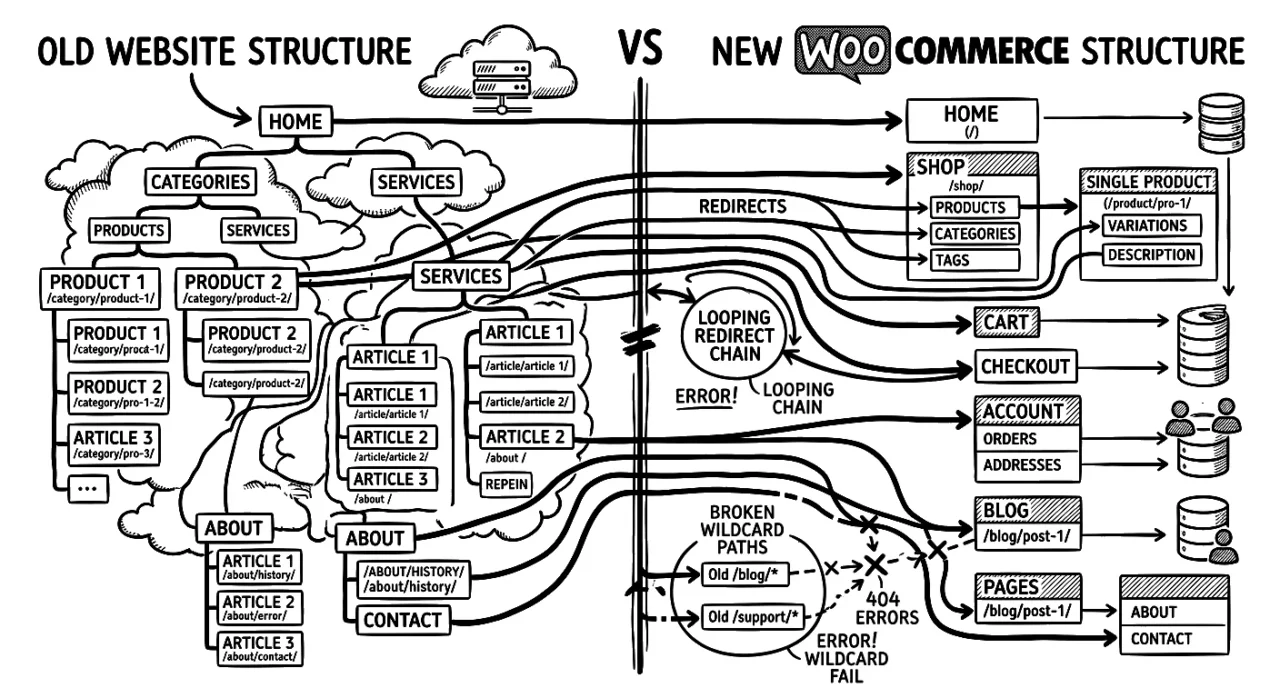
When you move from Shopify’s fixed folders (like /products/ and /pages/) to WooCommerce’s custom links, almost every URL on your site changes. If you do not map these changes exactly, Google sees a new site with no history. This resets your authority and can drop your rankings overnight.
We often see stores try to automate this with “wildcard” rules to save time. This is a mistake. Wildcards frequently miss specific product handle changes or category updates. A manual 1:1 match is the only way to keep the ranking signals for specific pages.
The 1:1 Mapping Process
You need a static map that tells search engines where content moved. We use a spreadsheet with two columns: the old Shopify URL and the new WooCommerce destination.
- Export: Get a full list of Shopify URLs. This includes products, collections, pages, and blog posts.
- Map: Assign the new WooCommerce link. For instance,
domain.com/products/blue-shirtbecomesdomain.com/shop/mens/blue-shirt. - Audit: This is a chance to clean up. If a product has zero traffic and no sales, redirect it to a parent category rather than moving a dead page.
- Upload: Import this CSV into a reliable redirection tool (like the Redirection plugin for WordPress) or configure it at the server level.
Avoiding the Daisy Chain
A common error is the redirect chain. This happens when Page A goes to Page B, and Page B goes to Page C. Search engines dislike these chains. They slow down crawling and dilute the value passed to the final page.
You want a direct path. If a URL changes twice during the build, update the original redirect to point straight to the final URL. A clean profile ensures your link equity transfers.
Do you have a complete list of your current Shopify URLs ready for mapping?
Server-Side Schema and Performance
A self-hosted setup offers superior data visibility and speed potential, but only if you configure the server correctly.
When you leave Shopify, you lose their automated technical stack. You gain control, but you also inherit the responsibility for speed. Shopify stores often rely on third-party apps to inject structured data (schema) via JavaScript. This means Google must render the page fully to see your price, availability, or review data. That process delays indexing and can cause rich snippets to drop in and out of search results.
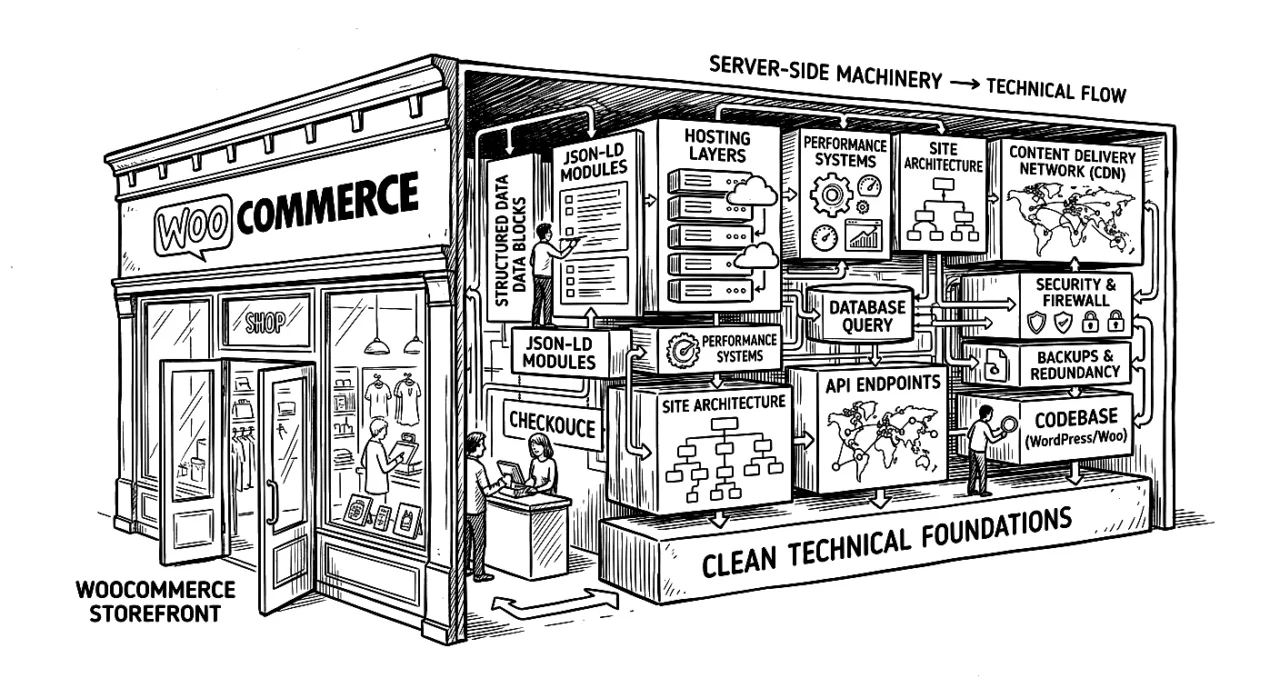
We move this function to the server side. In a custom environment, we place JSON-LD schema directly in the HTML source. The code exists before the page renders. Google sees it the moment the bot crawls the URL. This method is faster and more reliable than the client-side injection used by many SaaS apps.
You must also address raw hosting performance. Shopify includes a global Content Delivery Network (CDN) as standard. If you switch to basic shared hosting, your site speed will drop. To match your previous performance, you must use premium managed hosting. We find that high-performance hosts are necessary to handle the database queries a complex store generates. Your target is a Time to First Byte (TTFB) under 200ms. This speed is required to pass Google’s Core Web Vitals assessment.
Next steps:
- Implement server-side JSON-LD to replace JavaScript injection.
- Provision managed hosting (e.g. Kinsta or Cloudways) to ensure low TTFB.
- Audit the new theme to ensure no old Shopify app code remains.
- Verify schema validation in Google Search Console.
Would you like us to audit your current server response times?
Securing Long-Term Growth
Switching to WooCommerce moves your business from a rented space to an owned infrastructure. You gain full access to your data and URL structure without the limits of a hosted system. This control allows you to fix the SEO ceilings we discussed. However, it requires precision.
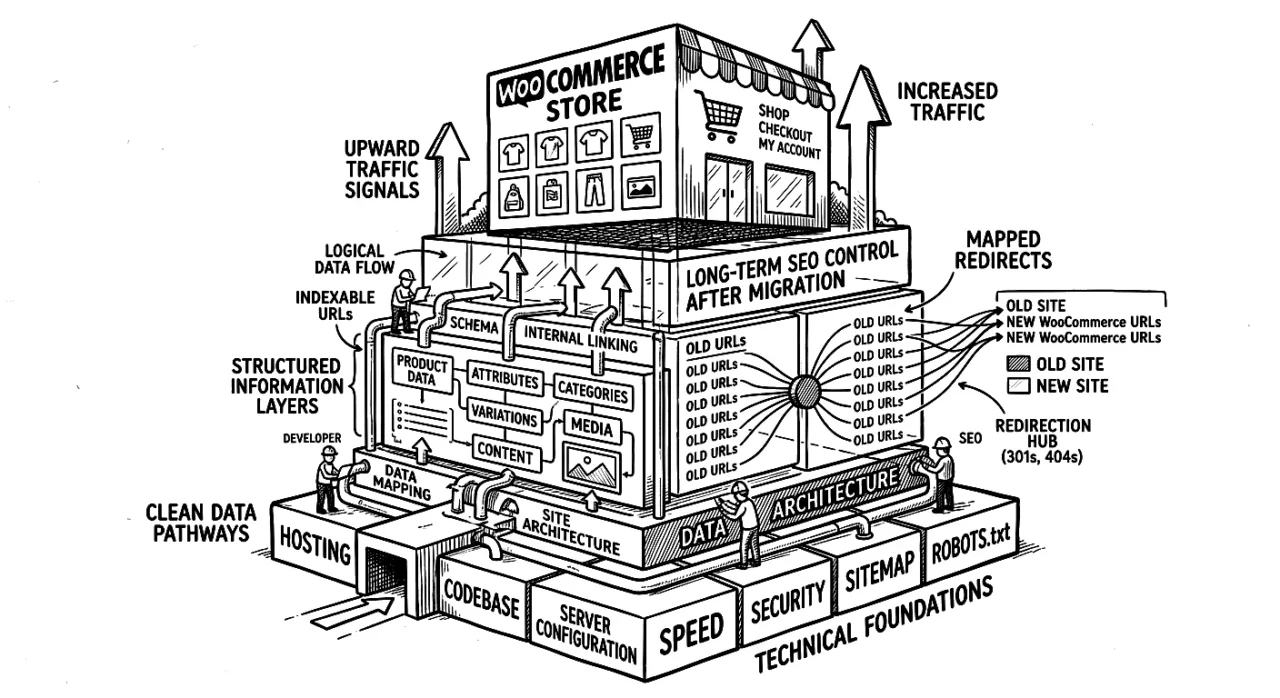
Many stores rush the launch and hit a traffic cliff because they miss the details in the data transfer. We treat this process as a structural upgrade. The success of the new site relies on the quality of the data you import and the redirects you map. It is better to delay a launch by a week to verify schema and metafields than to spend months recovering lost rankings.
Next steps:
- Verify the redirect map is 1:1 and has no chains.
- Confirm meta descriptions and custom fields are in the new database.
- Test the new hosting to ensure it matches or beats your current speed.
Would you like us to review your current redirect plan before you schedule the switch?
Securing Your Traffic During the Switch
Switching platforms is a major structural change to your website, not just a visual update. We have covered the risks of URL changes, the gaps in data exports, and the need for a precise redirect strategy. Ignoring these elements puts your organic traffic at risk.
Many store owners fear a drop in visitors when they move to Shopify. This is a valid concern, but it is not inevitable. A drop usually happens when the technical setup is rushed. We believe your search rankings are an asset that requires protection. You need to map your old links to your new structure with precision. This ensures your customers and Google can still find you.
We focus on securing your existing value before we launch the new design. This keeps your sales stable during the transition.


Leave a Reply